Open a supplier model on a phone without installing CAD
By CADProps
A model question can arrive when the recipient is away from a CAD workstation. A screenshot may identify the component, but it fixes the camera at the sender's chosen angle. A browser view lets the recipient turn the model and find the feature being discussed before returning to the design conversation.
This walkthrough is supplied by CADProps, the independent project behind the viewer used here. It demonstrates an initial visual review of an authorised file. It does not claim a timed phone benchmark or require a particular handset.
Start with a recognisable part
For practice, use bearing-housing.step from the public CAD model collection. It is a CADProps CC0 demonstration with a cylindrical bore, flange holes and mounting features. These landmarks make it easier to ask a useful question than an anonymous shape would.
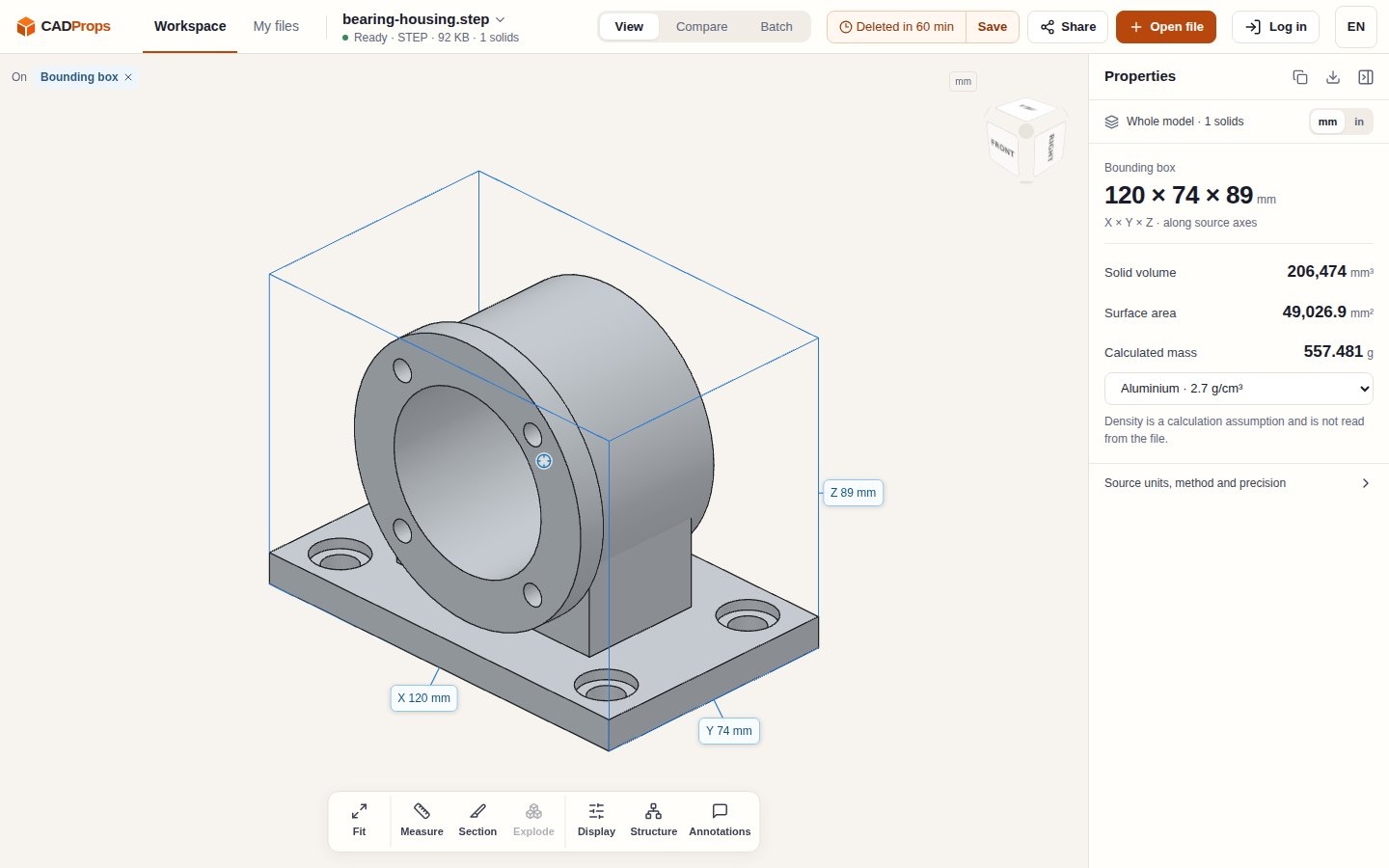
Figure 1. The original bearing-housing.step demonstration in an exterior view. Model and screenshot: CADProps; model licence: CC0. This saved desktop illustration identifies the model used in the walkthrough; it is not a phone performance test.
Before opening an actual supplier attachment, check that its owner permits upload to the service. CADProps processes files on a server. If that permission is unavailable, keep the private attachment in the approved environment and use the public sample to learn the controls.
Open the file and find a useful angle
Open the STEP model in the browser and select the permitted file. Viewing and measurement do not require an account. The browser removes the desktop installation step; file upload and processing still have to complete before the model is ready for inspection.
After the model is ready, use Fit to bring it into view. Rotate it until the bore and mounting base are recognisable together. Keep the question small: which face is the mounting reference, or which opening does the sender want to discuss? A good angle should help another reader locate that feature without guessing from a zoomed-in patch of surface.
Use the panel to support the conversation
The overall extents give the reader a scale reference alongside the picture. They describe the received digital model along its source axes. Turning the camera changes the view, not those axes. Keep the unit visible when discussing a number, and compare it with a known dimension if the source scale is uncertain.
Close the panel when it hides the feature that needs attention. Use the orientation cube and Fit to recover a recognisable view if necessary. For an assembly, the structure controls can help identify a component; the workspace instructions explain the available visibility, section and display operations. Those operations change the inspection view rather than the original geometry.
Keep different attachments in the same conversation
The advantage of a common viewing entry point becomes useful when another person sends a different format. Check the current format compatibility notes before choosing the next attachment. Supported STEP, IGES and mesh inputs carry different information, and the extension alone does not guarantee that every version or external reference can be read.
For example, the IGES surface-viewing guidance explains how an open surface or a curve-only file differs from a closed solid. It can still be useful for recognising geometry, but it should not be treated as the same geometric representation as the STEP housing pictured here. The housing illustration is not a cross-format conversion comparison.
Return a view someone can recognise
When replying to the model owner, name the file and revision, identify the visible feature and state the question. If you attach a screenshot, keep its caption with it. A picture alone is not an interactive model share.
Creation of a CADProps share requires sign-in, as do conversion and account storage. A share does not offer an original-file download, but it still reveals model geometry to its recipient. Check authorisation and access conditions before creating one. For an initial phone review, a recognisable model view and a focused question are enough to move the discussion back to the responsible designer.
评论
发表评论